
The 10-Minute Emergency Info Reset: Get Ready for the New Year
Before the calendar flips, take 10 minutes to update the emergency information that could be used in the case of an emergency. This helps reduce confusion when someone is stressed, your phone is locked, and time is tight.
What You’ll Learn
- How to make your phone’s emergency info accessible from the lock screen
- A simple household communication refresh that works even when calls do not
- A quick PHI Cares member check using your welcome packet and digital membership card
Let’s Get Started
Updating emergency information is an easy and quick task that you can accomplish wherever you are. Set a timer for 10 minutes, follow the instructions below, and you’re done!
Minutes 0 to 2: Update your phone’s emergency info
If you do nothing else, do this. It puts the right details in the easiest place to find.
On iPhone
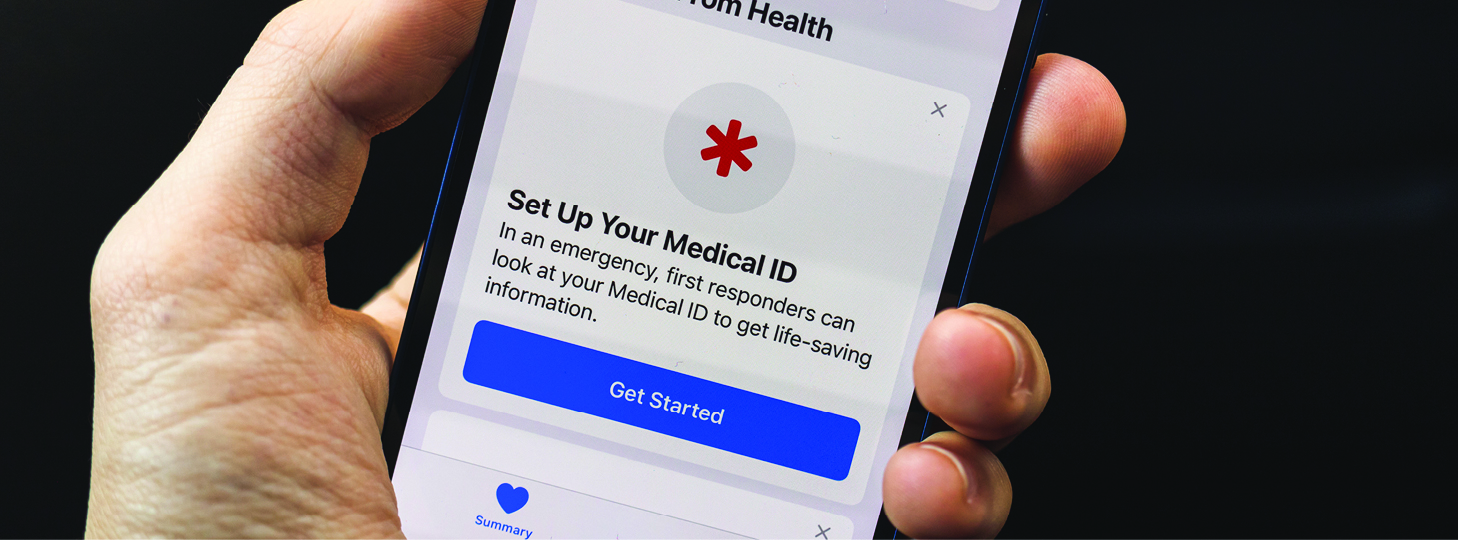
- Open the Health app
- Go to Medical ID
- Turn on Show When Locked
- Add or update:
- Allergies
- Medications
- Key conditions
- Emergency contacts
On Android
- Open Settings (or the Safety app, depending on your phone)
- Find Safety and emergency (wording varies)
- Add medical info and emergency contacts
- Turn on Show when locked
Keep it practical. Emergency info is not the place for a full medical history.
Minutes 2 to 4: Add a paper backup (wallet card)
Phones die. People lose phones. A paper backup still matters.
Do this
- Print a wallet-size emergency contact card for each household member
- Carry it in a wallet, purse, backpack, or sports bag
Include
- Name and date of birth
- Allergies and medications
- Key conditions
- Emergency contacts
- Home address
Minutes 4 to 6: Refresh a simple family text plan
Select one out-of-area contact and start a group text thread now. In a major event, texts can go through when calls do not.
Do this
- Choose one out-of-area contact that everyone agrees on
- Create a group text named Family Check-In
- Add one line: “If something happens, text here first.”
Minutes 6 to 8: Create a “911 Info” note
When you call 911, you will be asked for the basics. Make those basics easy.
Do this
Create a note on your phone called 911 Info and add:
- Address (include apartment or unit number)
- Nearest cross street or landmark
- Gate code or entry instructions
- Callback number
- Quick medical notes that matter
This note is only useful if it is easily accessible. Pin it or favorite it.
Minutes 8 to 10: PHI Cares members, do the 2-minute membership visibility check
In an emergency, you want your membership info easy to spot, not buried in a drawer.
PHI Cares welcome packet
Your PHI Cares welcome packet includes:
- Membership card
- Two vehicle stickers
- Three key fobs for your key rings
Do this now
- Put the membership card in your wallet
- Place the two vehicle stickers on your vehicles so they are visible
- Put a key fob on the keys you actually use (save extras for other drivers in your household)
Digital membership card
Digital membership cards are available. Log into your PHI Cares membership account on PHICares.com to download and print your digital membership card.
Indiana StatFlight PHI Cares members
Indiana StatFlight welcome packets include:
- Two StatFlight-branded membership cards
- Two StatFlight-branded vehicle stickers to alert first responders
StatFlight members can also log into their membership account on PHICares.com and download a StatFlight digital membership card.

One more practical note
If you are able, tell the healthcare provider, dispatcher, or emergency personnel that you are a PHI Cares member when an air medical transport is being requested.
Quick checklist
- Phone emergency info updated and visible from the lock screen
- Wallet card printed and carried
- Family group text created and out-of-area contact chosen
- 911 Info note saved and easy to find
- PHI Cares membership ready to reference: card in wallet, stickers placed, key fob on keys, digital card downloaded
Why PHI Cares belongs in your emergency plan
Medical emergencies are stressful enough. The last thing your family needs is unexpected financial pressure on top of it. PHI Cares Membership is designed to help protect your household from out-of-pocket costs tied to medically necessary air medical transport when PHI Air Medical or a cooperative partner flies you or a qualified household member. That is why PHI Cares should be part of your emergency plan, right alongside your lock screen emergency info and your household communication plan.
Pair this 10-minute reset with a quick membership visibility check: keep your membership card in your wallet, place your vehicle stickers where they can be seen, add a key fob to the keys you use most, and log into your PHI Cares account to download your digital membership card so your household can pull it up quickly. If you are able, tell the healthcare provider, dispatcher, or emergency personnel that you are a PHI Cares member when an air medical transport is being requested, since they will not automatically know.

Frequently Asked Questions
What should I do first in a medical emergency?
Call 911 first.
What will 911 ask me for?
Expect questions like your location, the phone number you are calling from, and what is happening.
How do I set up Medical ID on an iPhone?
In the Health app, go to Medical ID, add your key info, and turn on Show When Locked.
How do I show emergency info on an Android lock screen?
Use your phone’s Safety and emergency settings (or Safety app), add medical info and emergency contacts, and turn on Show when locked.
Why carry a paper emergency contact card?
Because phones get lost, batteries die, and not everyone has your passcode. Paper works even when your phone does not.
What comes in the PHI Cares welcome packet?
A membership card, two vehicle stickers, and three key fobs.
How do I get a digital membership card?
Log in to your PHI Cares membership account on PHICares.com and download and print your digital membership card.